Make a clip
Hit the Road Dude Pets: Make a Cat or Dog Version
For a Hit the Road Dude pets version, upload your animal's photo directly. The intended replacement covers the visible main character, including the head, fur and natural paws. The reference still supplies the scene and gestures, which makes anatomy the most useful thing to check afterward.
In this guide
- Head and earsKeep the recognizable silhouette, ear shape and muzzle proportions.
- Coat and markingsCompare distinctive patches, stripes, white areas and fur length.
- Paws and bodyLook for natural animal features instead of leftover human hands or skin.
- AccessoriesA visible collar or bandana can be part of the appearance reference.
Think beyond an animal face on a human body
The aim of this template is to replace the main character with the animal in your photo. A recognizable cat face attached to the source performer's hair, hands and shirt would be an incomplete transformation. Inspect the whole visible character, including areas that are less noticeable in the first frame.
The reference action was performed by a person, so an animal version needs to interpret gestures in a way that fits the animal's anatomy. A lifted arm can become a paw movement, for example, without preserving the exact shape of a human hand. Natural adaptation is a better target than demanding a literal human skeleton under the fur.
The tool accepts animal images without a face-detection requirement that would reject them as nonhuman. Acceptance of a file does not guarantee a perfect pet performance. AI output can distort features or shift identity, and we have not used the concept cards as evidence of tested generation quality.
Choose the details you would use to recognize your pet
Before uploading, identify two or three features that distinguish your pet from another animal of the same species. An uneven white patch, a dark muzzle, one folded ear or a particular stripe pattern gives you something concrete to compare with the output.
Use a photo where those features can actually be seen. If the identifying patch is outside the crop, the tool cannot reliably recover it from the fact that you know it exists. Avoid shadows that merge dark markings into the background or bright light that washes out pale fur.
Fur length matters too. A fluffy neck can change the silhouette substantially, while a short coat makes body contours more visible. Choose an image that reflects the appearance you want in the clip rather than a much older photo with a different haircut or coat condition.
A collar, harness or bandana can be a useful visible detail, but it should not hide the neck and face. Do not add an accessory solely because you think the tool needs one. The photo should make your pet recognizable, not satisfy an invented costume requirement.
For cats, protect the face outline and markings
A cat photographed from very close to the lens can have an exaggerated nose and a head that fills the entire frame. Choose a more ordinary distance if you want the replacement to retain the cat's familiar proportions. Include the ears and some chest rather than cropping to the eyes and muzzle.
Look closely at eye visibility. A sleepy squint can be charming, but a frame with both eyes hidden by shadow offers less information about the face. For a first photo choice, even light and a readable expression are easier to compare than a dramatic silhouette.
Tabby stripes, white paws and asymmetrical face patches deserve a separate check in the result. A clip may keep the general coat color while moving a distinctive mark. Pause at a front-facing moment and a head turn, then compare both with the upload.
Whiskers can flicker or merge into the background during motion. Judge the effect at normal playback speed as well as in a paused frame. A minor detail visible only under extreme enlargement is different from a muzzle that changes shape during the main gesture.
For dogs, watch the muzzle, ears and chest
Dogs vary widely in head proportions. A clear side or three-quarter view can show muzzle length, while a readable front view helps establish the eyes and facial pattern. Choose a single photo with enough information for the version you want; a heavily tilted head or wide-angle close-up may exaggerate the shape.
Keep floppy ears inside the frame. Their outline can be part of what makes the dog recognizable, especially when the head turns. If one ear is hidden behind a person or an object, another photo may offer a clearer reference.
An open mouth is acceptable, but inspect the jaw and tongue in the finished clip. The reference contains speech, and the visual model may interpret mouth movement in an unfamiliar way for an animal. The goal is a readable comic performance without a human mouth appearing inside the muzzle.
Show the chest and any visible collar or bandana. A floating head above the vehicle edge can look less convincing than a subject with a consistent neck and upper body. The photo does not need to include the whole animal, but it should give the replacement somewhere sensible to connect.
Inspect the places where the reference hides the body
A window frame, door edge or steering area can hide part of the character. Those boundaries make the scene recognizable, but they also create moments where an AI replacement must disappear and reappear consistently. Watch what happens when a paw moves behind an edge and returns.
Look for leftover human skin, sleeves that do not belong to the uploaded animal, extra limbs or paws that change size. Do not stop at the face. A strong animal head can distract you from a human wrist that remains near the bottom of the frame.
The same check applies to clothing. If your pet is wearing a bandana in the photo, it should not turn into the source performer's shirt. If the pet has no clothing, a human outfit appearing during a gesture is a mismatch with the intended replacement.
Pause at the largest gesture, then play it again at normal speed. This helps distinguish a single awkward frame from a visible change that disrupts the entire performance. Keep a note of the specific problem if you decide to choose a different input photo.
| Check | Useful question | Possible photo improvement |
|---|---|---|
| Face identity | Does it still look like this pet during a turn? | Use a sharper, less obstructed view |
| Coat pattern | Do the main patches stay in the same places? | Show the distinguishing areas clearly |
| Anatomy | Are there natural paws and no human hands? | Include some chest and forelimb detail |
| Accessories | Does the collar or bandana stay consistent? | Choose a photo where it is visible |
| Occlusion | Does the subject reappear consistently behind the window edge? | Review the full motion, not just the first frame |
Let the pet's attitude carry the setup
A Hit the Road Dude pets edit often needs only a familiar territorial joke. A cat defending a cardboard box or a dog rejecting the vacuum gives the stern delivery a clear context. The animal's appearance supplies the surprise; the caption can stay short.
Use a setup that fits the dismissal section. An original caption such as “The cat after I suggest moving his box” gives the exit line something to answer. A caption built around a mock arrest belongs more naturally with the separate Lock ’em up reaction, which this template does not contain.
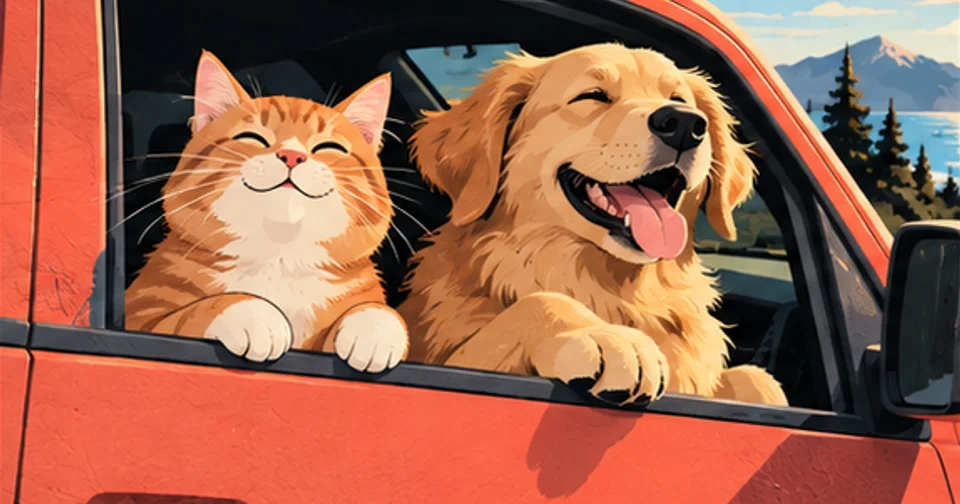
The homepage's cat and dog images are illustrations of the idea. They do not show actual generated frames or establish what your pet's result will look like. Your finished clip should be reviewed on its own merits before sharing.
Prepare the photo, then follow the normal creation flow
Animal photos use the same upload rules as person photos: one JPG, PNG or WebP with at least 256 pixels in each dimension. Large originals are resized and compressed before upload. There is no separate pet surcharge or breed selector. The fixed template costs 10 credits and produces a 13-second, 720p vertical MP4.
Use the photo guide for file preparation and the production walkthrough for sign-in, task status and download steps. Finished videos are saved permanently until you delete them, and you can download a copy at any time. Uploaded photos and derived files expire after seven days, and the account library is private.
For your Hit the Road Dude pets version, make the final decision while watching the whole clip with sound. Recognizable markings, believable animal anatomy and the timing of the reaction matter more than a flattering thumbnail.